
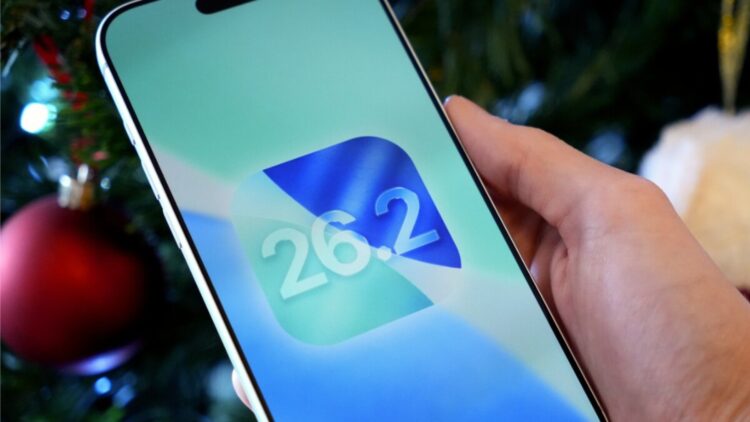
After several beta versions and accessibility adjustments, the new iOS 26.2 update, Apple’s operating system, is now available. In addition to the novelty of Liquid Glass (which we already knew about), it comes with new features that iPhones did not have until now. With the new update, it is possible to add a sound alarm to reminders, activate a light blink to notify of notifications, have more detailed privacy settings in AirDrop, modify web password saving, and what for many has been the crown jewel, real-time translation through the AirPods.
iOS Updates
Every year, the team in Cupertino releases a new update of the iOS operating system present on all their devices. It is common for major releases to include improvements, but above all, never-before-seen features. This year has been no exception, and after receiving numerous criticisms of the beta versions regarding Liquid Retina and its accessibility limitations, iOS 26.2 is now finally available for all Apple devices. In addition to introducing improvements in the aforementioned accessibility area, they have also introduced new tools and features that seem to be catching the attention of Apple fans.
New Features of iOS 26.2
We are going to highlight 5 of the new features, setting aside improvements to the liquid crystal or sleep scoring.
Reminder with Sound Alarm
Until now, reminders were nothing more than a notification on the screen, which was very easy to ignore or overlook, and didn’t fully serve the purpose of reminding you of an important task. That’s why they have added the option to include an alarm just like the one on the alarm clock, as long as it is marked as “Urgent”.
Notifications with light
Having the camera flash blink was possible thanks to third-party apps, but it wasn’t something you could set up directly from the iPhone itself. From now on, you can configure a blink for alerts like LED Flash, even when the phone is in Silent mode. To activate it, you need to go to ‘Settings’ > ‘Accessibility’ > ‘Audio & Visual’ > ‘Flash for Alerts’ and toggle it on.
Greater security in AirDrop
Sharing files via AirDrop is undoubtedly one of Apple’s best features. However, the visibility options it offered weren’t completely secure. From now on, if you want to share files with a contact you don’t have (or don’t want to have) saved, you can generate a code that expires in 30 days. To activate it, go to ‘Settings’ > ‘General’ > ‘AirDrop’ and tap on ‘Manage Known AirDrop Contacts’.
Web passwords
In the ‘Settings’ > ‘Passwords’ section, a new section called ‘Show excluded websites’ has been added. There you will find the websites where you previously chose not to save the password, giving you the option to save it again.
Real-time translation
For many, this is undoubtedly the best update, although it is limited to those who have AirPods. To activate it, you will need to go to the ‘Translation’ app and access the ‘Real-time’ tab while wearing your AirPods. All that’s left is to tap ‘Start Translation’.
Frequently asked questions
How can I set a reminder with a sound alarm?
With the iOS 26.2 update, it is now possible to add a sound alarm to reminders. For the alarm sound (similar to the one on the alarm clock) to go off, the reminder must be marked as ‘Urgent.’
Does real-time translation through AirPods work immediately after updating?
Real-time translation is one of the “crowning jewels” of this update, but it is limited to users who have AirPods. To activate it, you need to go to the ‘Translation’ app, access the ‘Real-Time’ tab while using AirPods, and then tap ‘Start Translation’.
How can I enable the camera light flashing to notify me of alerts?
It is now possible to set up a light flash for alerts, known as LED Flash, directly from the iPhone settings, even when the phone is in Silent mode. To enable it, you need to follow this path: ‘Settings’ > ‘Accessibility’ > ‘Audio/Visual’ > ‘LED Flash for Alerts’ and turn on the corresponding option.